VibeCafe: building the focus space I couldn't find
A lofi space I built because the one I wanted didn't exist.
Why I built it
I always had a lo-fi stream playing in the background while I worked.
It worked well enough, but every stream came with its own combination of visuals, music, and ambient sounds. If the mood no longer matched what I wanted, I had to stop, find another stream, and start over.
What I actually wanted was to choose the visual environment, choose the music, layer ambient sounds like rain or thunder, and create an atmosphere that matched how I wanted to work.
I couldn't find a product that brought all of those controls together in one place, so I built one.
Building the atmosphere
The core idea behind VibeCafe was giving myself control over three things independently: the environment, the music, and the ambient sounds.
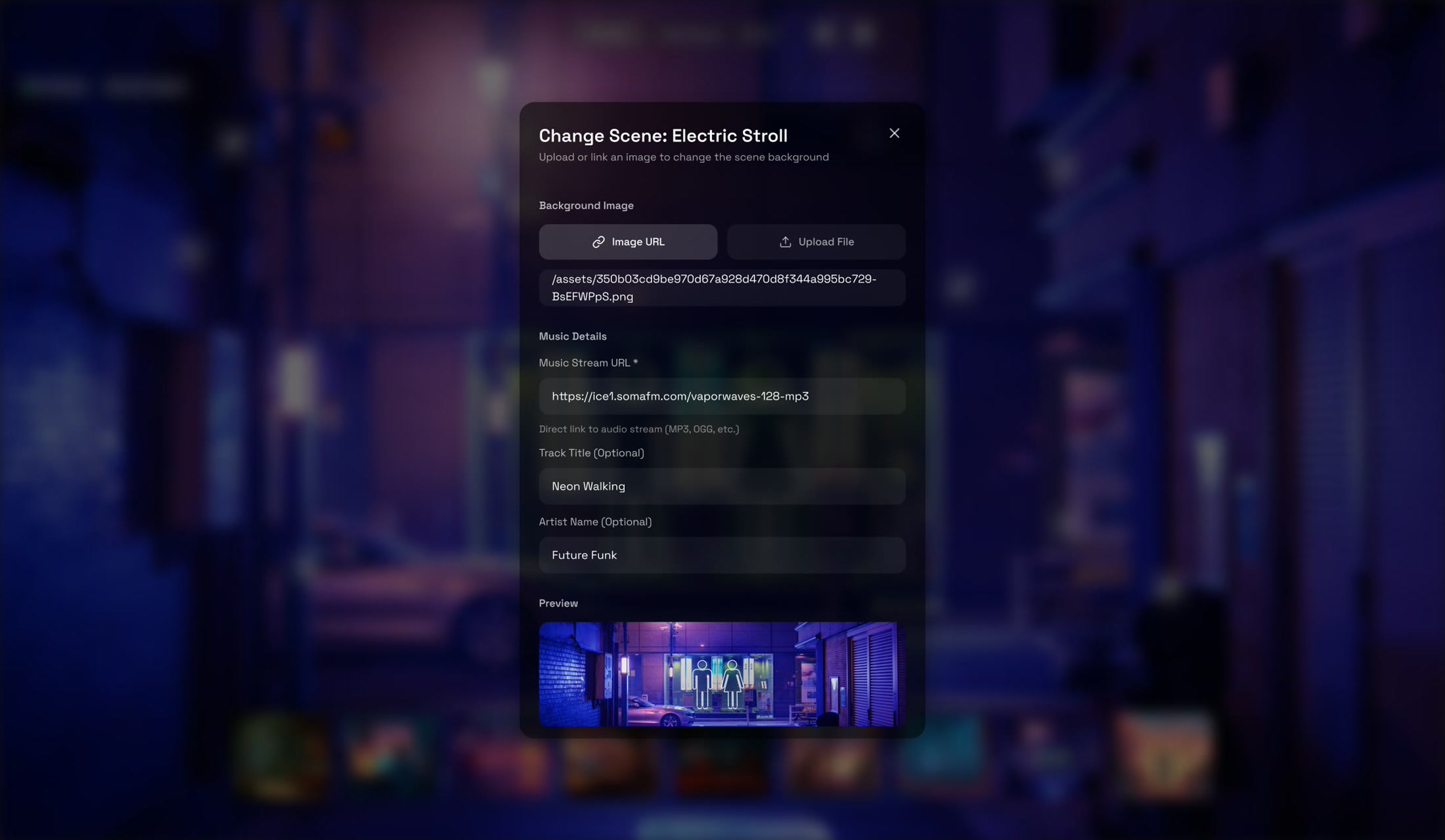
The environment comes first. I designed nine scenes, including Anime Cafe, Cozy Study, Late Night Coding, Cocktail Lounge, and Afternoon Daydream. Each one has its own visual identity and is paired with a SomaFM radio station chosen specifically for that mood. Switching scenes changes both the visuals and the music together, making each space feel distinct.
Ambient sounds sit on top of that. Rain, fire crackling, cafe chatter, city noise, birdsong, and others can be mixed freely, each with its own volume control. Some days I want rain and thunder. Other days it's cafe chatter underneath music. Being able to layer sounds was important, because atmosphere is rarely made up of a single thing.
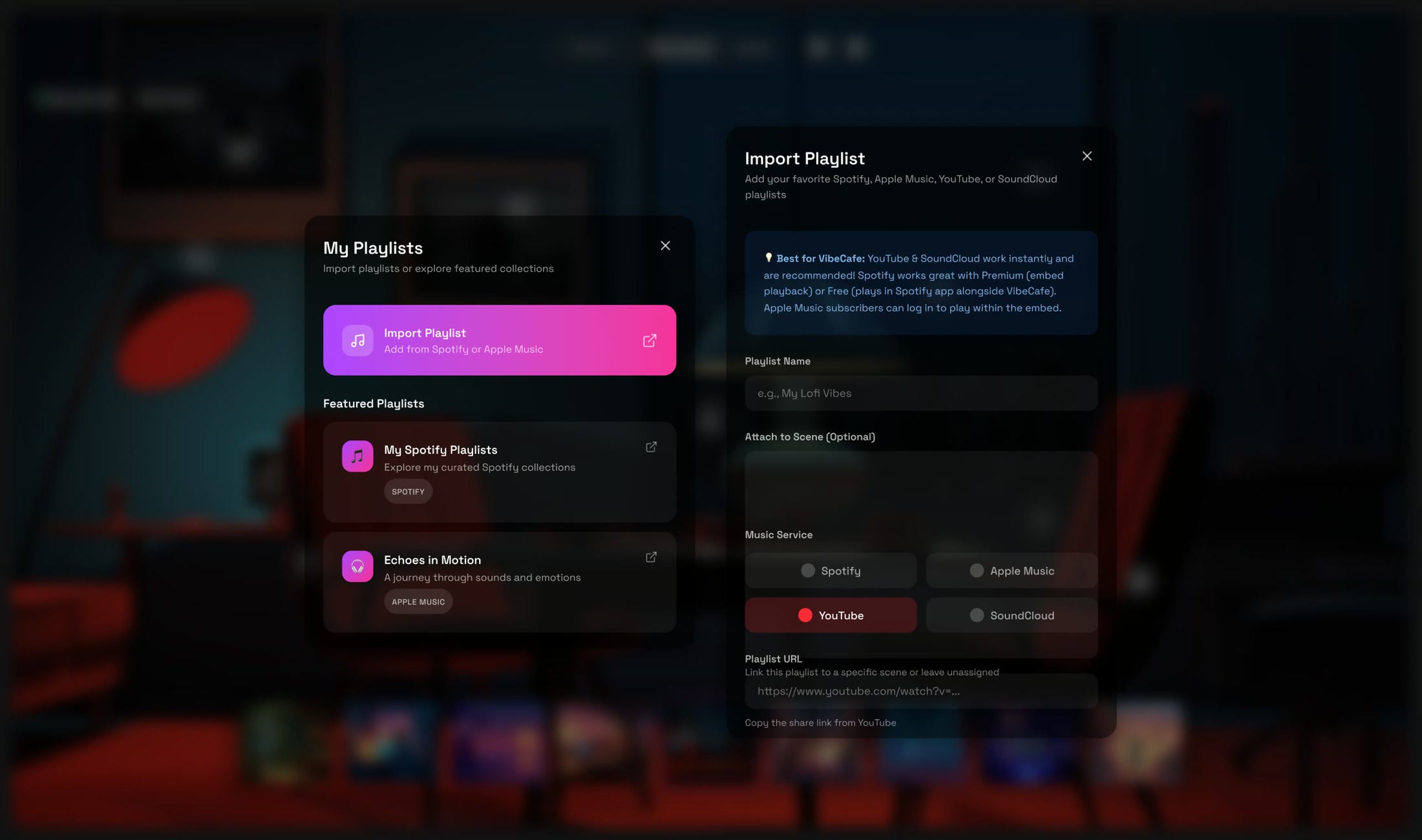
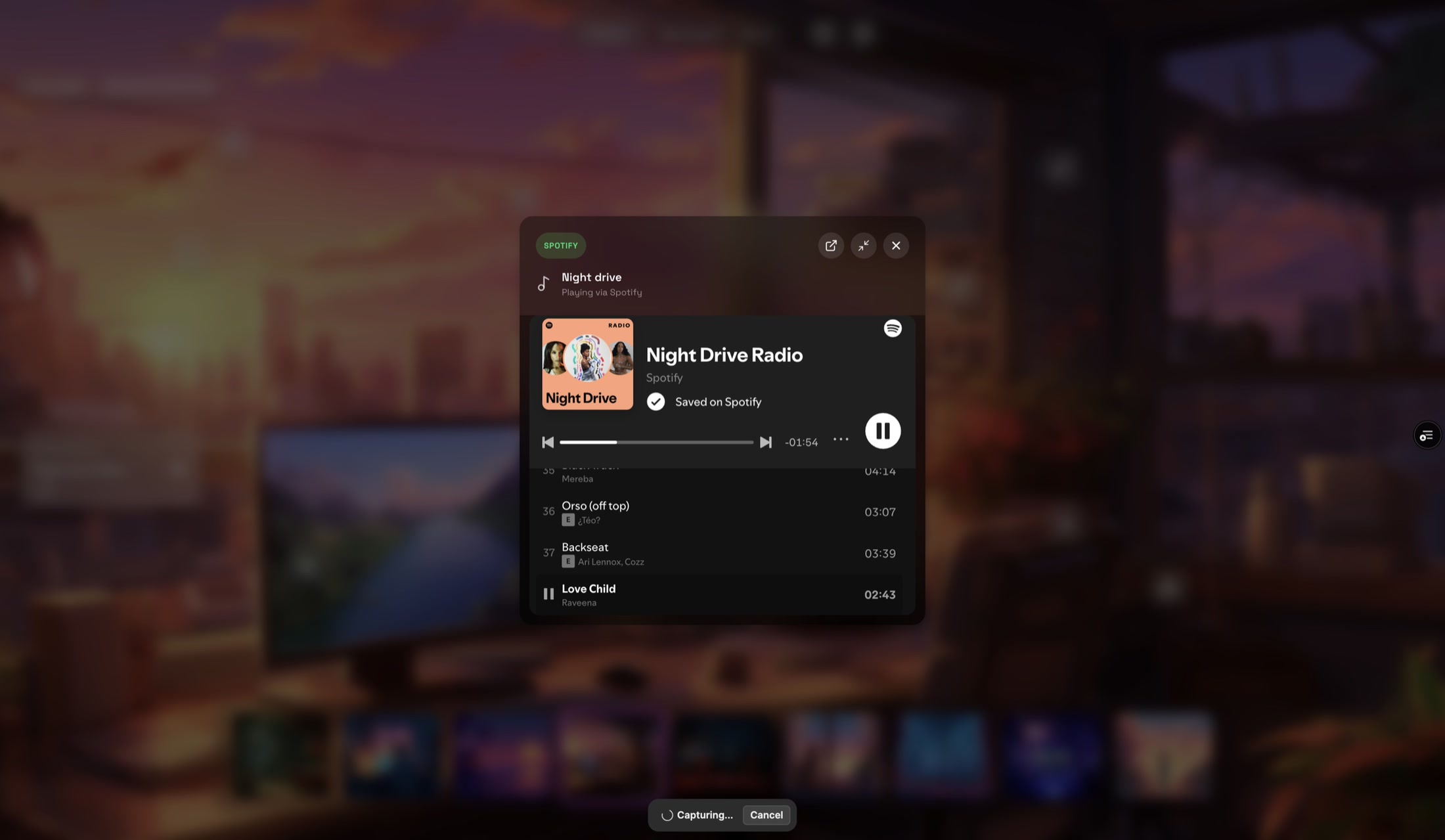
I also knew I wouldn't always want to listen to the built-in stations, so I added support for Spotify, Apple Music, YouTube, and SoundCloud playlists. The player lives in a draggable floating card and stays independent from the scene itself. If I'm listening to my own playlist and decide to move from a cafe to a late-night coding setup, the music shouldn't stop just because the environment changed. It was all designed to be immersive.
Vibe Presets
Vibe Presets let me save and restore complete VibeCafe configurations. A preset captures the active scene, ambient sound combinations, volume levels, and music stream configuration, so an entire atmosphere can be recreated in one tap.
Presets can be named, edited, and revisited at any time, giving a personal library of environments tailored to different activities, moods, or routines. For a product built around combining multiple layers of visuals and audio, presets remove the need to manually rebuild the same setup every time, and make it easier to switch between atmospheres.
How I built it
I started VibeCafe in late 2025.
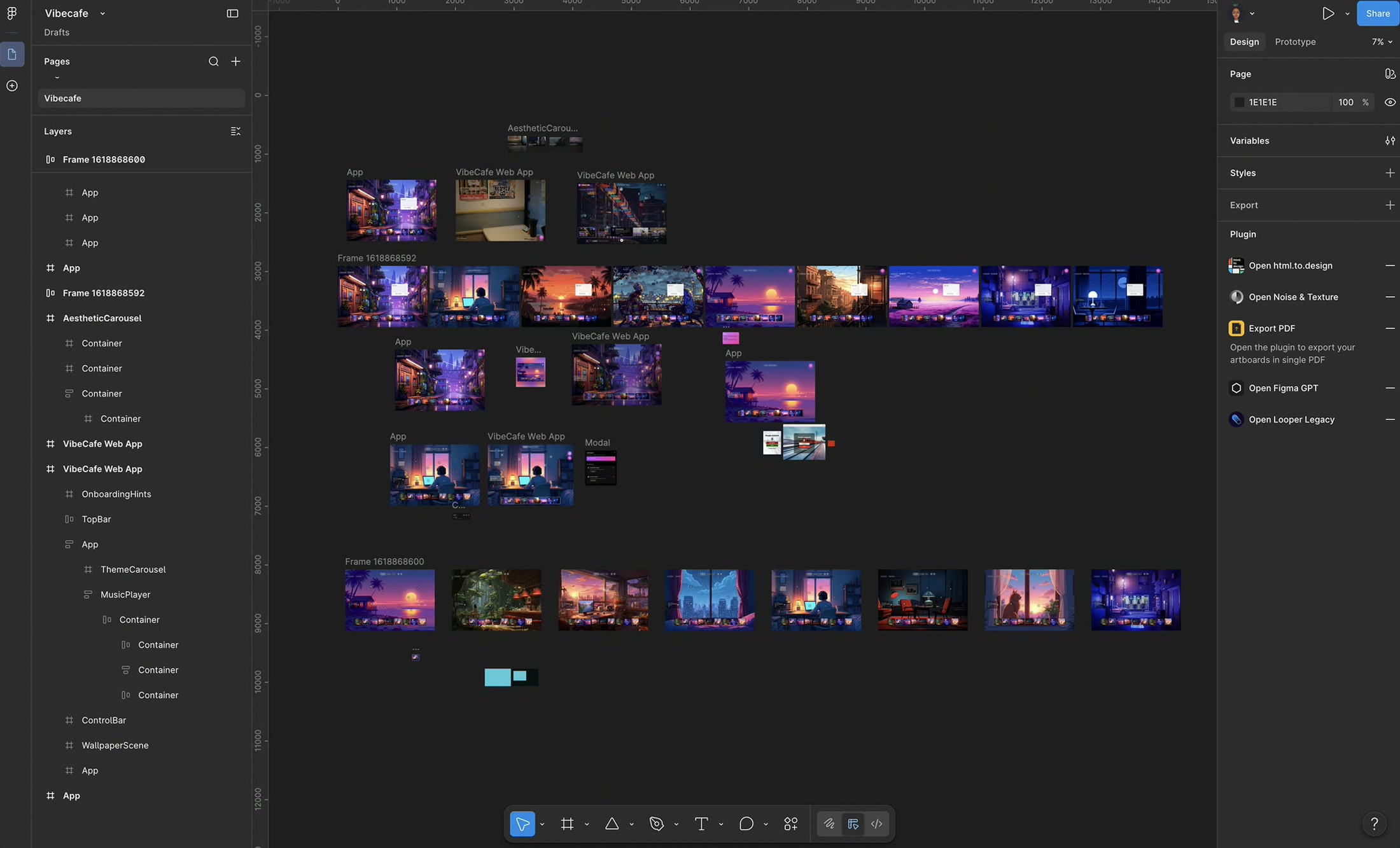
I designed the first version in Figma, then used Figma Make to turn it into a working product. The tool was still in its early days then and wasn't as good to work with as it is today. Outputs needed correction, interactions needed refinement, and getting the behavior I wanted often meant experimenting with different prompts until the intent translated correctly.
That process ended up being surprisingly valuable. Features like layered ambient sounds with independent volume controls, or a playlist player that persists across scene changes, could not be described vaguely. Every adjustment forced me to be more specific about how the product should behave. I also spent time researching how ambient audio could coexist with embedded playlists from external services without creating a poor listening experience.
Building VibeCafe became an ongoing cycle of designing, testing, refining, and learning how different tools approached the same problem. It was equal parts fun and frustrating.
Development continued in 2026 with Claude Code. As the product matured, the work shifted from generating features to refining them. Interactions became more polished, mobile responsiveness improved, performance issues were addressed, and edge cases were considered. I also experimented with Antigravity on some parts of the product, often as a second perspective when exploring implementation approaches.
The AI tools accelerated execution, but they did not make product decisions. They made it possible to move from an idea to something testable much faster, which meant more time could go into refining the experience itself.
Still going
VibeCafe is much closer to what I imagined when I started, but it isn't finished.
The mobile experience still has areas I want to improve. Playlist embeds across different services need more consistency. There are interactions that work well enough today but still don't feel exactly how I want them to feel.
That is part of building a personal project. There is no launch date to optimize for and no deadline forcing decisions before they're ready. The product keeps evolving as I use it, notice friction, discover better ideas, and find new ways to improve the experience.
The version in my head remains the benchmark. Every iteration is simply an attempt to get a little closer to it.
Building with AI
VibeCafe was the first project I deployed for public use where AI became a core part of my building process.
I started with Figma Make in 2025, continued development with Claude Code in 2026, and used Antigravity for specific explorations and refinements along the way. The same workflow later carried into other projects, including IQ Vote, an internal peer-recognition platform at BrainDAO, and a leave-management system at BrainDAO.
Across all of them, the process stayed largely the same: define the product direction, build quickly, test constantly, and refine relentlessly.
What changed was not the need for design decisions. If anything, it increased. The tools made it easier to move from an idea to a working prototype, from a prototype to a usable feature, and from a feature to something worth evaluating. That meant more time could go into deciding what should be built, how it should behave, and whether it was actually solving the problem it was meant to solve.
VibeCafe started as a small personal project, a way to create the kind of atmosphere I wanted while working. Along the way, it became a testing ground for new tools, new workflows, and a different way of building products. It's both a product I use and a space where I can keep experimenting, refining, and learning.
I'm Ajayi Feyikemi Mabel (Simplypheyie), a digital product designer. See more of my work and case studies at simplypheyie.is-a.dev.